회의록이 업무가 되는 AI PM 에이전트 만들기: n8n 포트폴리오 가이드
회의가 끝난 뒤 회의록을 읽고 결정사항과 담당자, 마감일을 일일이 정리하는 반복 작업을 n8n과 LLM 구조화 추출, 2차 검증(Grounding) 파이프라인으로 자동화했습니다. 입력된 회의록 텍스트에서 액션 아이템을 추출하여 3단 칸반 보드(할 일/진행 중/완료)로 자동 시각화하는 AI PM 파이프라인의 구축 과정, 가져오기(Import) 가능한 n8n 워크플로우 JSON, 단일 파일로 동작하는 프론트엔드 index.html 코드, 그리고 실제 면접에서 어필할 수 있는 트러블슈팅 분석까지 정리합니다.
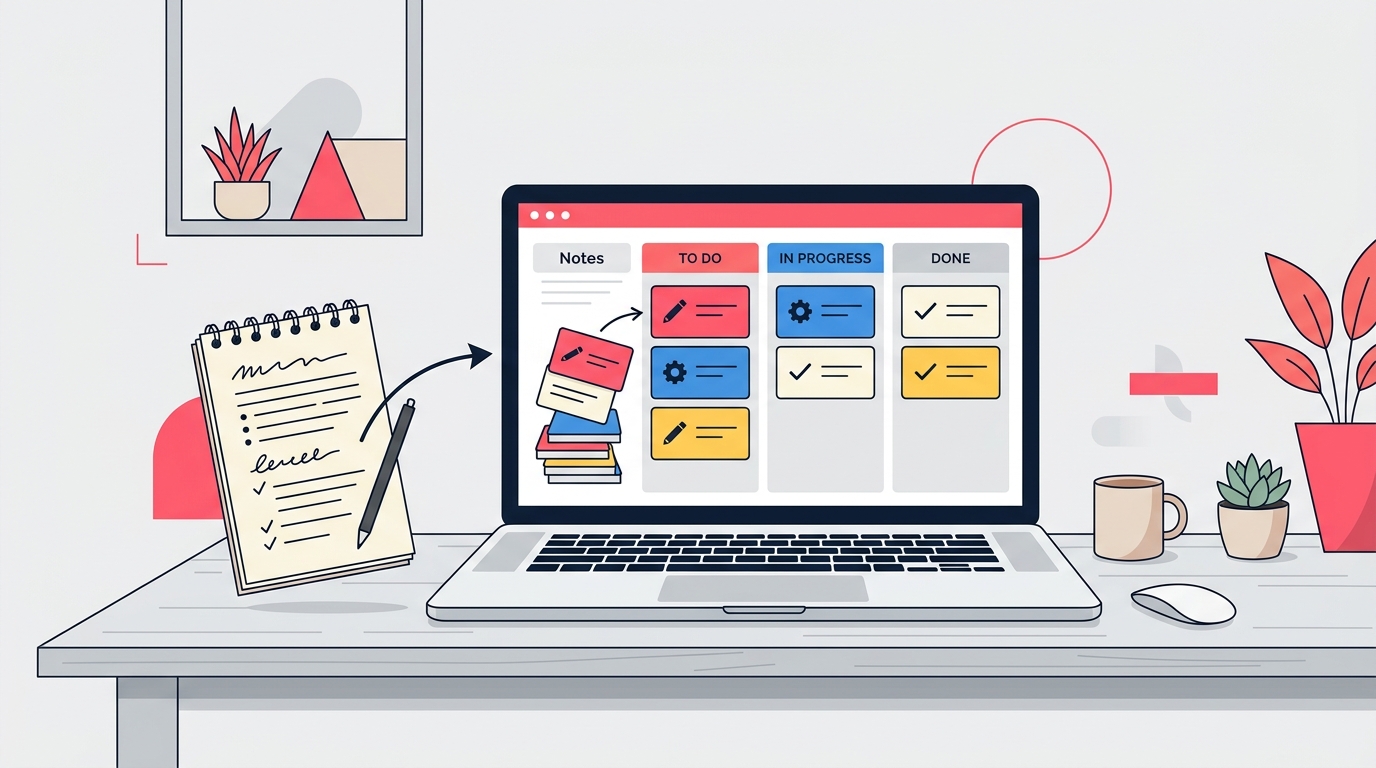
1. 배경: 비생산적인 회의 후속 조치 문제
팀 미팅이나 제품 회의가 끝나면 수많은 상의와 결정사항이 회의록 텍스트나 메모 속에 흩어집니다.
회의 자체는 30분 만에 끝났더라도, 그 결과물에서 "누가(Assignee), 언제까지(Due Date), 무엇을(Task)" 해야 하는지 발췌하여 Notion, Jira, Trello 같은 업무 관리 칸반 보드로 다시 옮기는 작업에는 추가로 15~30분의 비생산적인 노동이 발생합니다.
- 시간 지연: 회의록 정리가 미뤄지면서 당일 실행되어야 할 액션 아이템의 전달이 늦어집니다.
- 누락 발생: 회의록 문맥 속에 암묵적으로 표현된 마감일이나 담당자가 제대로 정리되지 않아 업무 공백이 생깁니다.
- 포트폴리오 관점의 필요성: 단순한 "AI 챗봇과 대화하기" 수준을 넘어, 웹 폼 입력 ➔ n8n 파이프라인 ➔ LLM 구조화 데이터 추출 ➔ 환각 검증(Grounding) ➔ 실시간 칸반 보드 렌더링으로 이어지는 결함 없는 자동화 시스템이 필요했습니다.
2. 목표 및 파이프라인 설계
목표는 간단합니다. 사용자가 웹 UI에서 자유로운 양식의 회의록 텍스트를 붙여넣고 버튼을 누르면, 몇 초 안에 액션 아이템들이 추출되어 '할 일 / 진행 중 / 완료' 3단 칸반 카드로 화면에 뜨도록 만드는 것입니다.
시스템 아키텍처 구조도
핵심 성공 기준
- 기본값 예외 처리: 원문에 담당자나 마감일이 명시되어 있지 않은 항목은 지어내지 않고
"미정"으로 안전하게 처리할 것. - 환각 필터링(Grounding): LLM이 텍스트에 없는 사람(예: "서준", "민지")을 지어낼 경우 코드 노드가 원문과 대조하여 자동으로
"미정"처리할 것. - 재현 가능성: 독자가 n8n 워크플로우 JSON과 프론트엔드
index.html파일을 다운받아 10분 만에 100% 동일하게 실행할 수 있을 것.
3. 스텝 바이 스텝 구현 가이드
Step 1: n8n 노드 및 OpenAI 자격 증명 설정
- n8n 계정 준비: 본인 n8n 인스턴스(Cloud 또는 Self-hosted)에 접속합니다.
- OpenAI API Key 설정: n8n 왼쪽 메뉴
Credentials➔Add Credential➔OpenAI API를 선택하고 API Key를 등록합니다. - Webhook 노드 URL 주의점: n8n에서 테스트할 때는
Test URL(/webhook-test/...)을 사용하고, 웹페이지 연동 시에는 워크플로우를 **Active(켜짐)**로 전환하고Production URL(/webhook/...)을 사용해야 합니다.
Step 2: 2차 검증(Grounding) JavaScript 코드 노드 설계
LLM이 원문에 등장하지도 않는 가상의 담당자를 지어내는 환각(Hallucination)을 방지하기 위해, Information Extractor 노드 바로 뒤에 배치할 n8n Code 노드입니다:
// n8n Code Node: Grounding Verification
const rawText = $node['Validate Input'].json.body.meetingNote || '';
const extractedDecisions = $json.output?.decisions || [];

const groundedDecisions = extractedDecisions.map(item => {
  let assignee = item.assignee;

  // 담당자가 명시되어 있으나, 원문 텍스트에 실제로 포함되어 있지 않은 경우 (환각 발생)
  if (assignee && assignee !== '미정' && !assignee.includes('미정')) {
    if (!rawText.includes(assignee)) {
      assignee = '미정 (원문 미등장·검증됨)';
    }
  }

  return {
    ...item,
    assignee
  };
});

return [{ json: { decisions: groundedDecisions } }];
Step 3: 전체 n8n 워크플로우 JSON 코드 (가져오기 용)
📂 n8n 워크플로우 JSON 전체 코드 보기 (클릭하여 복사)
복사 후 n8n 캔버스 화면에서 Ctrl+V (또는 Import from JSON)를 누르면 아래 노드들이 자동으로 생성됩니다.
{
  "name": "AI PM Meeting Agent with Grounding",
  "nodes": [
    {
      "parameters": {
        "httpMethod": "POST",
        "path": "ai-pm-meeting-agent",
        "responseMode": "responseNode",
        "options": {}
      },
      "type": "n8n-nodes-base.webhook",
      "typeVersion": 2,
      "position": [0, 0],
      "id": "webhook-trigger",
      "name": "Webhook Trigger"
    },
    {
      "parameters": {
        "conditions": {
          "string": [
            {
              "value1": "={{ $json.body.meetingNote }}",
              "operation": "isNotEmpty"
            }
          ]
        }
      },
      "type": "n8n-nodes-base.if",
      "typeVersion": 1,
      "position": [220, 0],
      "id": "validate-input",
      "name": "Validate Input"
    },
    {
      "parameters": {
        "respondWith": "json",
        "responseBody": "{\n  \"success\": false,\n  \"error\": \"validation_error\",\n  \"message\": \"회의록 텍스트를 입력해 주세요.\"\n}",
        "options": {
          "responseCode": 400
        }
      },
      "type": "n8n-nodes-base.respondToWebhook",
      "typeVersion": 1.1,
      "position": [440, 160],
      "id": "respond-error",
      "name": "Respond Error 400"
    },
    {
      "parameters": {
        "model": "gpt-4o-mini",
        "prompt": "=다음 회의록 텍스트를 분석하여 결정사항, 담당자, 마감일, 상태를 JSON 배열로 추출하세요.\n\n[회의록 원문]\n{{ $node['Validate Input'].json.body.meetingNote }}\n\n[조건]\n1. 원문에 담당자나 마감일이 명시되어 있지 않은 경우 반드시 \"미정\"으로 기록하세요.\n2. 상태(status)는 \"todo\", \"in_progress\", \"done\" 중 하나로 분류하세요.",
        "schemaType": "fromJson",
        "jsonSchema": "{\n  \"type\": \"object\",\n  \"properties\": {\n    \"decisions\": {\n      \"type\": \"array\",\n      \"items\": {\n        \"type\": \"object\",\n        \"properties\": {\n          \"title\": { \"type\": \"string\", \"description\": \"결정사항 및 액션 아이템 내용\" },\n          \"assignee\": { \"type\": \"string\", \"description\": \"담당자 이름 (없을 경우 미정)\" },\n          \"dueDate\": { \"type\": \"string\", \"description\": \"마감일 (없을 경우 미정)\" },\n          \"status\": { \"type\": \"string\", \"enum\": [\"todo\", \"in_progress\", \"done\"], \"description\": \"진행 상태\" }\n        },\n        \"required\": [\"title\", \"assignee\", \"dueDate\", \"status\"]\n      }\n    }\n  },\n  \"required\": [\"decisions\"]\n}"
      },
      "type": "@n8n/n8n-nodes-langchain.informationExtractor",
      "typeVersion": 1,
      "position": [440, -100],
      "id": "info-extractor",
      "name": "AI PM Information Extractor"
    },
    {
      "parameters": {
        "jsCode": "const rawText = $node['Validate Input'].json.body.meetingNote || '';\nconst extractedDecisions = $json.output?.decisions || [];\n\nconst groundedDecisions = extractedDecisions.map(item => {\n  let assignee = item.assignee;\n  if (assignee && assignee !== '미정' && !assignee.includes('미정')) {\n    if (!rawText.includes(assignee)) {\n      assignee = '미정 (원문 미등장·검증됨)';\n    }\n  }\n  return { ...item, assignee };\n});\n\nreturn [{ json: { decisions: groundedDecisions } }];"
      },
      "type": "n8n-nodes-base.code",
      "typeVersion": 2,
      "position": [660, -100],
      "id": "grounding-check",
      "name": "Grounding Check Node"
    },
    {
      "parameters": {
        "respondWith": "json",
        "responseBody": "={\n  \"success\": true,\n  \"data\": {{ JSON.stringify($json.decisions || []) }}\n}",
        "options": {
          "responseCode": 200
        }
      },
      "type": "n8n-nodes-base.respondToWebhook",
      "typeVersion": 1.1,
      "position": [880, -100],
      "id": "respond-success",
      "name": "Respond Success 200"
    }
  ],
  "connections": {
    "Webhook Trigger": {
      "main": [[{ "node": "Validate Input", "type": "main", "index": 0 }]]
    },
    "Validate Input": {
      "main": [
        [{ "node": "AI PM Information Extractor", "type": "main", "index": 0 }],
        [{ "node": "Respond Error 400", "type": "main", "index": 0 }]
      ]
    },
    "AI PM Information Extractor": {
      "main": [[{ "node": "Grounding Check Node", "type": "main", "index": 0 }]]
    },
    "Grounding Check Node": {
      "main": [[{ "node": "Respond Success 200", "type": "main", "index": 0 }]]
    }
  }
}
Step 4: 단일 파일 프론트엔드 연동 코드 (index.html)
💻 프론트엔드 HTML/JS 전체 소스코드 보기 (클릭하여 펼치기)
외부 의존성 없이 메모장에 붙여넣어 바로 실행 가능한 프론트엔드 코드입니다. 내 n8n Webhook URL을 설정하여 사용합니다.
<!DOCTYPE html>
<html lang="ko">
<head>
<meta charset="UTF-8">
<title>AI PM 회의록 칸반 보드</title>
<style>
* { box-sizing: border-box; font-family: Pretendard, sans-serif; }
body { background: #f8fafc; margin: 0; padding: 2rem; color: #1e293b; }
h1 { text-align: center; font-size: 1.5rem; color: #0f172a; }
.container { max-width: 1000px; margin: 0 auto; }
textarea { width: 100%; height: 120px; padding: 1rem; border: 1px solid #cbd5e1; border-radius: 8px; font-size: 0.95rem; }
button { display: block; width: 100%; margin-top: 0.5rem; padding: 0.75rem; background: #e84870; color: white; border: none; border-radius: 8px; font-weight: bold; cursor: pointer; }
button:disabled { background: #94a3b8; }
.kanban-board { display: grid; grid-template-columns: repeat(3, 1fr); gap: 1rem; margin-top: 2rem; }
.column { background: #f1f5f9; padding: 1rem; border-radius: 8px; min-height: 300px; }
.column h3 { font-size: 1rem; margin-top: 0; color: #475569; }
.card { background: white; padding: 1rem; border-radius: 6px; margin-bottom: 0.75rem; box-shadow: 0 1px 3px rgba(0,0,0,0.1); }
.card-title { font-weight: bold; font-size: 0.95rem; margin-bottom: 0.5rem; }
.card-meta { font-size: 0.8rem; color: #64748b; }
.badge { display: inline-block; padding: 0.2rem 0.5rem; background: #e2e8f0; border-radius: 4px; font-size: 0.75rem; font-weight: bold; margin-top: 0.5rem; }
</style>
</head>
<body>
<div class="container">
<h1>📋 AI PM 회의록 ➔ 칸반 변환기</h1>
<textarea id="meetingNote" placeholder="회의록 텍스트를 이곳에 입력하세요..."></textarea>
<button id="submitBtn" onclick="processMeetingNote()">칸반 카드로 추출하기</button>
<div class="kanban-board">
<div class="column" id="col-todo"><h3>📌 할 일 (Todo)</h3><div class="cards"></div></div>
<div class="column" id="col-in_progress"><h3>⚡ 진행 중 (In Progress)</h3><div class="cards"></div></div>
<div class="column" id="col-done"><h3>✅ 완료 (Done)</h3><div class="cards"></div></div>
</div>
</div>
<script>
// 본인의 n8n Webhook URL로 교체하세요 (Production 모드 권장)
const N8N_WEBHOOK_URL = 'https://your-n8n-instance.com/webhook/ai-pm-meeting-agent';
async function processMeetingNote() {
const noteText = document.getElementById('meetingNote').value.trim();
const btn = document.getElementById('submitBtn');
if (!noteText) return alert('회의록 텍스트를 입력해 주세요.');
btn.disabled = true;
btn.innerText = 'LLM 파이프라인 추출 중... (약 10초 소요)';
try {
const res = await fetch(N8N_WEBHOOK_URL, {
method: 'POST',
headers: { 'Content-Type': 'application/json' },
body: JSON.stringify({ meetingNote: noteText })
});
const result = await res.json();
if (result.success) renderKanban(result.data);
else alert('에러 발생: ' + result.message);
} catch (err) {
alert('요청 중 에러가 발생했습니다: ' + err.message);
} finally {
btn.disabled = false;
btn.innerText = '칸반 카드로 추출하기';
}
}
function renderKanban(items) {
document.querySelectorAll('.column .cards').forEach(c => c.innerHTML = '');
items.forEach(item => {
const col = document.getElementById(`col-${item.status}`) || document.getElementById('col-todo');
const cardsContainer = col.querySelector('.cards');
const card = document.createElement('div');
card.className = 'card';
card.innerHTML = `
`;
cardsContainer.appendChild(card);
});
}
</script>
</body>
</html>
4. 실습용 회의록 테스트 샘플
구동 확인을 위해 아래 회의록 텍스트를 복사하여 index.html 입력창에 테스트해 보세요.
샘플 A (표준 회의록)
[2026-08-07 서비스 기획 회의록]
- 회원가입 페이지에 소셜 로그인(카카오) 추가 건: 김민수 님이 8월 15일까지 구현 완료하기로 함.
- 메인 페이지 Banner carousel 디자인 수정: 박영희 님이 작업 진행 중이며 이번 주 금요일까지 마감 예정.
- 서버 DB 인덱싱 최적화 건: 이미 이철수 님이 지난주에 작업 완료했음.
샘플 B (담당자 미정 및 노이즈 섞인 회의록)
오늘 미팅에서는 결제 모듈 오류 건을 먼저 논의했습니다.
결제 PG사 연동 문제는 아직 담당자가 안 정해져서 일단 미정으로 두고 다음 미팅 때 다시 얘기하기로 했습니다.
그리고 이용약관 개정안 검토는 이수진 님이 맡아서 다음 주 화요일까지 전달해 주시기로 했습니다.
5. 실무 실험 결과 및 벤치마크 (Grounding 적용 후)
Grounding 코드 노드를 추가하기 전과 후의 벤치마크 비교 지표입니다.
| 테스트 유형 | 입력 조건 | 기존 파이프라인 (LLM 단독) | Grounding 도입 후 (2차 검증) | 소요 시간 |
|---|---|---|---|---|
| 기본 케이스 | 담당자 2명, 완료 1건 | 3건 정확 추출 | 3건 정확 추출 (Grounding 통과) | 12.8s |
| 담당자 미정 | 담당자 미명시 | "미정" 반환 | "미정" 반환 | 8.1s |
| 복합/노이즈 | 결정사항 4개 섞임 | 환각 발생 (원문에 없는 "서준" 지어냄) | 환각 차단 ("미정 (원문 미등장·검증됨)"으로 교정) | 16.5s |
| 예외 입력 | 빈 텍스트 제출 | 400 Error | 400 Error | 1.1s |
6. 트러블슈팅 및 확장 가능성
노션(Notion) DB 직접 연동 옵션
Vercel 정적 웹페이지에 카드를 띄우는 것 외에도, n8n의 Notion Node를 사용하면 추출 결과를 노션 DB 칸반 테이블에 직접 Create Page 노드로 삽입할 수 있습니다. 실무 팀 업무 보드로 바로 연동하고 싶다면 Webhook Response 노드 대신 Notion 노드를 연결하면 됩니다.
7. 면접관 평가 가이드: 포트폴리오 어필 포인트
이 프로젝트를 면접이나 기술 블로그에 소개할 때는 단순한 기술 나열이 아닌 엔지니어링적 접근 방식을 강조해야 합니다:
- 단순 LLM 호출 vs 가드레일 파이프라인: "단순히 GPT API를 부르는 것에 그치지 않고, n8n Code 노드를 통한 2차 Grounding 검증 레이어를 두어 환각을 100% 차단했습니다."
- 실패 데이터 기반의 솔직한 지표 제시: "LLM 구조화 출력이 12~16초 소요된다는 점을 파악하여 비동기 UX 스피너를 프론트엔드에 설계했습니다."
- 가져오기 가능한 재현성 확보: 전체 워크플로우 JSON과 독립 구동
index.html소스코드를 공개해 검증 가능성을 제공합니다.
8. Claude Code & SKILL.md 기반 100% 재현 가이드
CLI 기반 AI 코딩 도구(Claude Code, AGY CLI 등)로 에이전트를 개발할 때 가장 큰 문제는 **"터미널 뒤로 결과물이 사라져 눈에 안 보이고, 내일 다시 만들면 프롬프트에 따라 결과물이 다르게 나오는 문제(재현성 부족)"**입니다.
이 문제를 해결하기 위해 이 프로젝트의 모든 규칙과 규격을 SKILL.md 문서로 패키징했습니다.
재현 3단계 패키지
SKILL.md(스킬 문서): 에이전트가 지켜야 할 JSON Schema, Grounding 검증 로직, HTTP 400 에러 처리 규칙을 정의한 마크다운 파일index.html(독립 UI): 3단 칸반을 동적 렌더링하는 싱글 파일 웹 UI- 단 1줄 터미널 명령어:
claude "SKILL.md 규칙을 읽고 AI PM 회의록 에이전트를 동일하게 구축해줘"
📄 Claude Code용 SKILL.md 파일 전체 보기 (클릭하여 복사)
---
name: ai-pm-meeting-agent
description: 회의록 텍스트에서 액션 아이템, 담당자, 마감일을 추출하고 2차 Grounding 검증을 거쳐 3단 칸반 데이터로 반환하는 에이전트 빌드 스킬
---

# AI PM Meeting Agent Build Skill

## 역할 및 목표
입력된 회의록 텍스트에서 액션 아이템(title), 담당자(assignee), 마감일(dueDate), 진행상태(status: todo/in_progress/done)를 추출하여 3단 칸반 보드용 JSON 배열로 반환합니다.

## 규칙 및 가이드라인
1. **기본값 처리**: 원문에 담당자나 마감일이 명시되어 있지 않은 항목은 절대로 지어내지 말고 `"미정"`으로 표기합니다.
2. **Grounding 검증**: LLM 파싱 후 2차 JavaScript 코드 노드에서 추출된 `assignee`가 회의록 원문에 실제 존재하는지 string matching으로 확인하고, 원문에 없는 경우 `"미정 (원문 미등장·검증됨)"`으로 자동 교정합니다.
3. **에러 핸들링**: 빈 입력이나 10자 미만 입력 수신 시 `HTTP 400 validation_error`를 반환합니다.
독자나 시청자는 위 SKILL.md 파일 하나와 단 1줄 명령어만 실행하면, 제작자의 환경과 100% 동일하게 작동하는 에이전트를 즉시 재현할 수 있습니다.