[AI Game League EP.1] AI Plays Plants vs. Zombies Solo to the Ending: Claude Cleared All 50 Levels, ChatGPT Stopped at 24
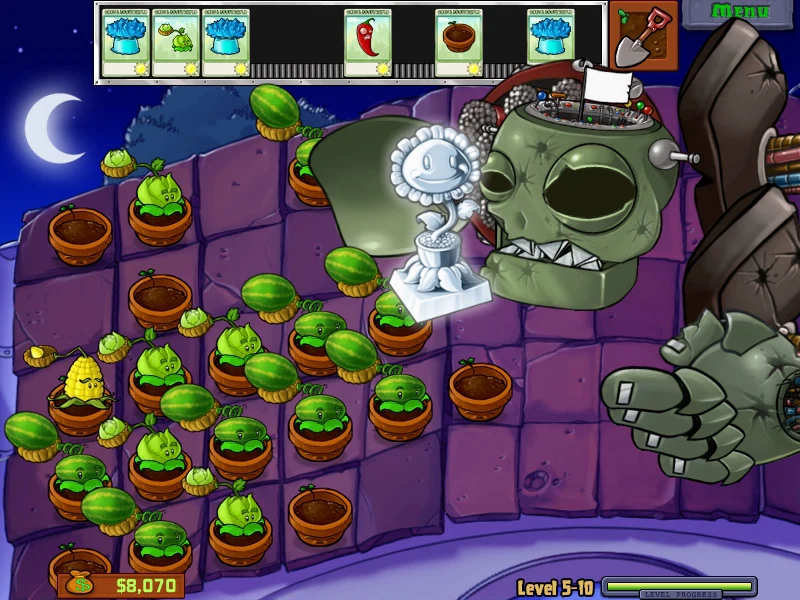
The first match of the AI Game League is Plants vs. Zombies. I had AI play all 50 levels of Adventure mode on its own under the same conditions. Claude Opus 5.5 lost 63 times and won 50 over 13 hours, and made it all the way to the end credits. GPT-6 Astra got to the 18th level on its own, and after it got stuck, I attached tools one at a time until it reached the 24th level and stopped. This guide walks through the methods I used along the way (reading game state, delegated clicking, quitting games by win probability, an action-reason panel, plan mode) and the incidents that blew up mid-run, in order.
I also put this together as a 28-minute video. You can see both AIs playing, the 28-loss streak against Dr. Zomboss, and the first win on 3-2 with the red action boxes and the win-probability panel.
This ran from the night of October 24 to the morning of October 27, 2026. The game was the Steam version of Plants vs. Zombies GOTY (Windows). The game ran on a gaming PC, and the brain program that calls the AI ran on a separate Mac. Every number in this post comes from the run logs. Costs are converted at API prices; what I actually paid with is noted separately in the cost section below.
Results first
| Item | Claude Opus 5.5 | GPT-6 Astra |
|---|---|---|
| Final result | Finished Adventure 50/50 | Stopped at 24/50 (last clear: 3-4) |
| Cleared on its own | 1-1 through 5-10 (3 assists, disclosed) | 18 levels, 1-1 through 2-8 |
| Time taken | 13.0 hours, 50 wins, 63 losses | Spread over several days, ended by the user at 07:15 on 10/27 |
| Call path | Anthropic API | Codex CLI (ChatGPT Pro subscription) |
| Cost | About $104.9 at API prices | Used within the subscription (no per-call billing) |
Opus got only three assists: running 1-8 to 1-10 at 2x speed, having the harness click zombies directly in the Whack a Zombie minigame (2-5), and slowing the game to 0.5x for the final Dr. Zomboss fight (5-10) after it lost 28 times at 1x. Astra started under the same conditions, got stuck at 2-9, and from then on reached 24 levels with assists added one at a time. I describe exactly which assist went in when, starting at Step 5.
Who this is for
- You want an LLM to operate a game or desktop program directly
- You tried feeding in screenshots alone and got stuck because it was slow, clicked the wrong places and misread numbers
- You want to know in advance what breaks when you run an AI agent unattended for hours
- You're curious what needs to be matched to compare two models "fairly"
This isn't a type-along-with-the-code post. Instead, for each Step I wrote down what I built, which numbers I watched and where things went wrong, so it's easy to carry over to your own project.
What you need
- A Windows PC that runs the game, with Python
- A library for reading another process's memory (this time,
pymem) - A computer to run the AI brain (it can be the same PC, but this time I used an always-on Mac)
- Two models to compare, each with its own call path (API key or CLI)
Step 1. Read game state from memory instead of the screen
Everyone's first idea is to show the AI a screenshot and ask "where do you want to plant?" But Plants vs. Zombies is a real-time game. Zombies keep walking during the few seconds the AI spends thinking, and small text like the sun count is easy to misread from an image.
So I read the values the game holds in its own memory directly. Sun, wave, level number, the plant list (row, column, type, HP), the zombie list (row, x position, type, HP, helmet, shield), coins on the lawn, seed cards (cost, recharge) and lawn mowers all come out as numbers. I gave the AI a state text summarizing those numbers along with an 800x600 screenshot.
Memory reading follows a pointer chain: "fixed address → board object → field." In short, it looks like this.
import pymem, struct
pm = pymem.Pymem("popcapgame1.exe")          # the actual game process, not the launcher
u32 = lambda a: struct.unpack("<I", pm.read_bytes(a, 4))[0]
app   = u32(BASE)                             # game app object
board = u32(app + BOARD_OFFSET)               # the board currently being played
sun   = struct.unpack("<i", pm.read_bytes(board + SUN_OFFSET, 4))[0]
The offsets themselves differ by game version, so I didn't include them in this post. Instead, keep in mind two traps I ran into.
- The launcher and the actual game were different processes. No matter how much I dug through the
PlantsVsZombies.exethat Steam launches, the sun value never showed up. The real game waspopcapgame1.exe, which that launcher starts in turn. If you can't find a value, check the process list first. - Don't trust the "playing" flag too much. The shop screen between levels also read as "playing" in memory. The incident this caused is in Step 4.
Step 2. The AI decides, the harness clicks
If you tell the AI "click coordinates (412, 233)," there are too many ways for it to go wrong. So I split the roles like this.
- What the AI does: decide what to plant where (e.g., "Peashooter in row 2, column 3"), click menus, tutorials and reward screens, and write notes on rules it has learned
- What the harness (program) does: read state from memory, turn "row 2, column 3" into screen pixels and click, reject plantings that break the rules (not enough sun, recharging, a plant already in that cell) and send the reason back to the AI, and automatically collect falling sun
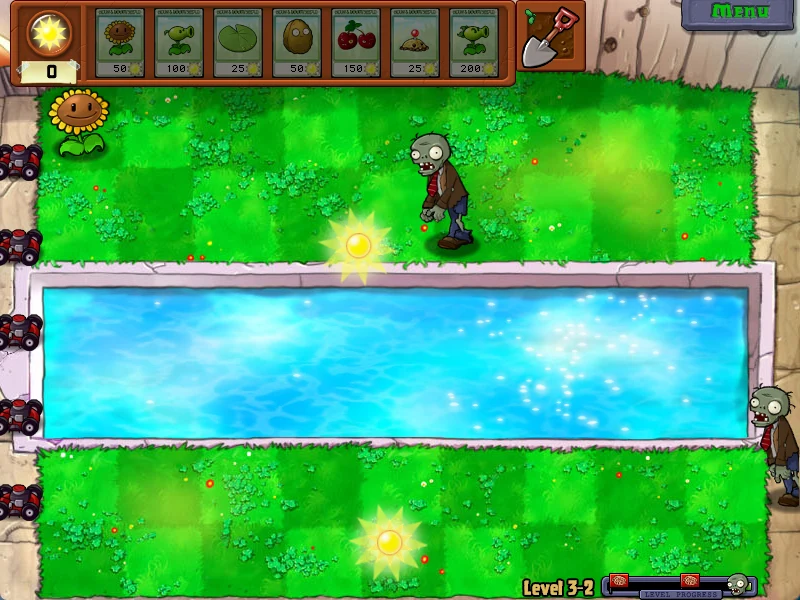
Sun collection works off the screen. It captures the game window, finds blobs of "very bright yellow" pixels and clicks their centers, a simple approach. If you make the AI collect sun too, it's a few seconds late every time and the economy collapses. For the same reason, in minigames that are all about reflexes, like Whack a Zombie (2-5), the harness clicked zombie positions directly, and I told the AI about it.
I learned three things here.
- Run in windowed mode, not fullscreen. In fullscreen, captures arrived later than the actual screen, so it clicked spots where the sun had already disappeared. Switching to windowed mode fixed it immediately.
- Re-read moving targets right before clicking. On the conveyor-belt level (1-10), the cards keep sliding, and clicking where they were a few seconds earlier made 30% of plantings fail (14 out of 48). After re-reading state right before each click and accounting for the sliding card's real position (x + slide offset), it cleared the very next game.
- Enforce the AI's response format. Opus sometimes put an explanatory sentence before the JSON, or wrote such long notes that it hit the token limit and the response broke. Once I locked the format with the option that specifies an output schema, the problem went away.
Step 3. Put both models under the same conditions
For the comparison to mean anything, only the model should differ and everything else should be the same. These are the conditions I matched.
- Same prompt, same state text, same 800x600 screenshot, same harness
- A fresh game profile for each model (OPUS, ASTRA), both starting from the same main menu
- Real-time play: the game doesn't pause while the AI thinks. Response speed counts as part of skill
First, here are the results of running 1-1 through 1-4 side by side.
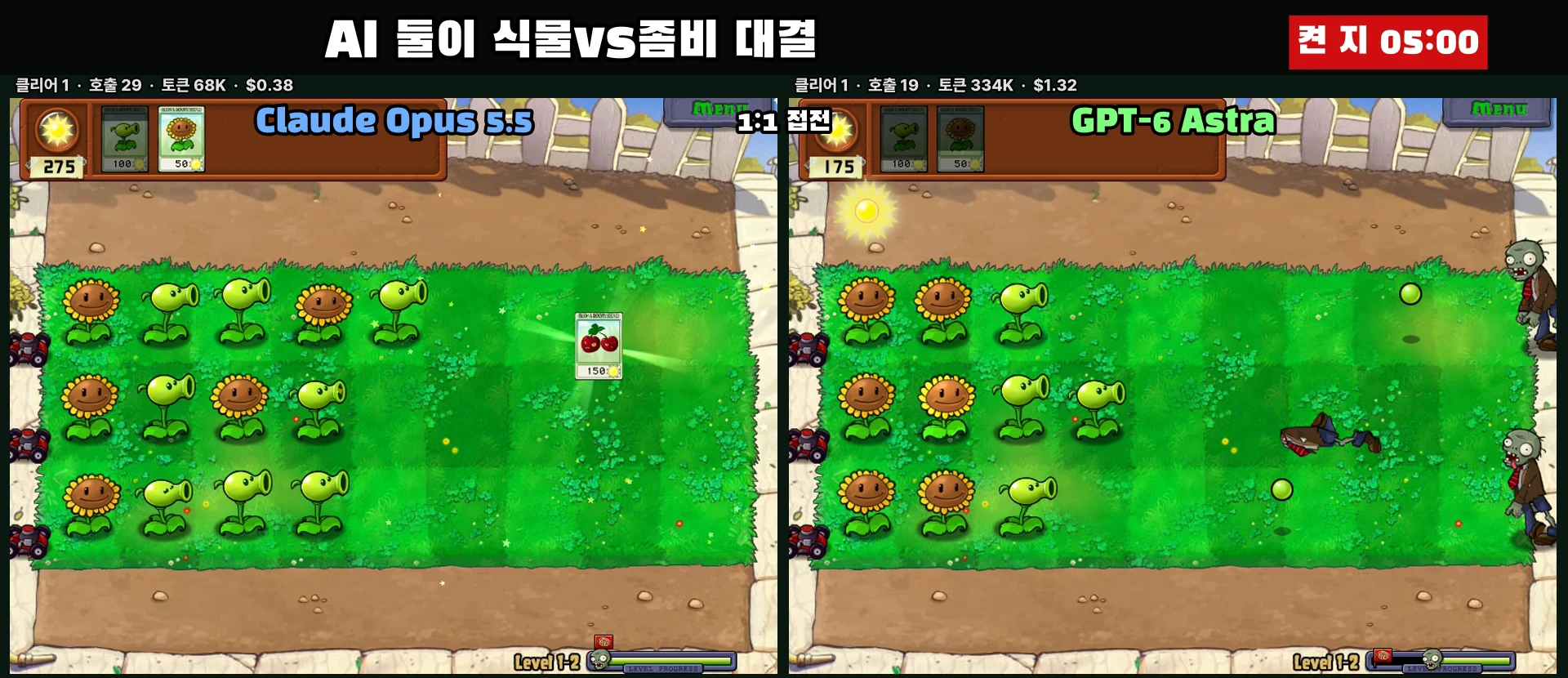
| Item | Opus 5.5 (API) | GPT-6 Astra (Codex CLI) |
|---|---|---|
| Result | 4 wins, 0 losses | 4 wins, 0 losses |
| Total time | 13.1 min | 16.1 min |
| Average response | 4.18 s | 8.86 s |
| Calls | 80 | 62 |
| Broken responses | 1 | 0 |
Up to here it's close to a draw. The gap opened up as levels got harder and the runs went on for hours without a break. Opus finished all 50 levels with only the three assists listed above, while Astra stalled at 2-9 under the same conditions after a string of losses. Since Claude was the one that went all the way under the same conditions, Claude takes the EP.1 point.
Astra had no API key, so I called it through Codex CLI. That meant every call carried the Codex default instructions (about 13,000 tokens, mostly cached) and CLI startup time, and reasoning effort was at the lowest setting, low. A good part of the response-speed gap may come from the call path rather than the model. I'm changing this starting next episode (see the end of the post).
Step 4. Install stop mechanisms for when nobody is watching
In a multi-hour unattended run, "getting trapped in a weird state" was a bigger enemy than game skill. Here's what actually happened, and the mechanisms I added afterward.
- The monitor turned off, but the AI kept thinking. In the middle of 2-4, the gaming PC lost its monitor signal and every capture came back black. The AI spent 1 hour 50 minutes waiting while staring at a black screen, making 490 calls and spending about $9 in the meantime. Afterward, I made it stop calling the AI (zero cost) when it detects a black screen or an abnormal window size, and stop everything if that lasts more than 2 minutes. I also installed a virtual monitor driver so the display stays alive even when the physical monitor is off.
- In the shop, it mistook the Golden Watering Can for sun. The Crazy Dave shop after 5-4 read as "playing" in memory, so automatic sun collection stayed on. It kept clicking the yellow Golden Watering Can thinking it was sun and was stuck in a "not enough money" window for about 8 minutes. I changed auto-collection to run only inside levels.
- Nobody clicked a single key, and everything stalled for 5 hours. It had effectively won 3-4 at around 1:40 a.m., but nothing was there to click the reward (a key) that the last zombie dropped. In plan mode (Step 8), the AI's turns were paused during play, but clicking rewards was the AI's job. The win-probability watcher and the supervisor script both decided "it's playing, so it's fine," and it sat like that until 7:03 a.m. I changed it so the AI handles things directly when there are zero zombies and a non-sun item is on the lawn, and added a watchdog that sends an alert and restarts the segment if there's no action, result or screen change for 15 minutes.
In short, an unattended agent needs a mechanism that "wakes it up when nothing happens" just as much as one that "stops it when it fails."
Step 5. When it gets stuck, record everything you change
Both models got stuck somewhere, and each time a human changed something. If you don't write down what you changed and why, you can't later separate "AI skill" from "the share a human helped with."
Where Opus got stuck: Dr. Zomboss. On the final level, 5-10, it lost 28 times in a row at 1x speed. It could only wear Dr. Zomboss's HP down from 40,000 to 33,180, because it was too busy dealing with fireballs, iceballs, Bungee Zombies and Zombonis to add more attacking plants. Once I slowed the game to 0.5x just for the boss fight, it won on the first try, in 18 minutes and 96 calls. This assist lets the game run at only half speed while the AI thinks, so I disclosed it in the video as well.
Astra stopped for three reasons.
- 429 (server busy) responses. On the same account, calls that included images were repeatedly rejected with 429, only for Astra. The 429 stretches I measured ranged from 5 minutes to 100 minutes, mostly 15 to 30 minutes. Only 33% of the weekly usage had been used, so this wasn't a quota problem; it was server congestion. From 17:21 to 19:35 on October 26 it went on for more than two hours, and 9 of the 12 games lost on 2-6 went by with almost no AI decisions.
- Slow responses. Astra calls through Codex CLI averaged around 17 seconds in this period. In a real-time game, 17 seconds is long enough for a zombie to walk halfway across the screen.
- The fallback model's mistakes, and mine. When Astra couldn't respond, I had GPT-6 Luna on the same account decide instead, but Luna would click an empty slot on the seed selection screen and think it had "filled" it, or pick mushrooms for daytime levels. On top of that, I added a rule: "if Astra takes more than 10 seconds, switch to Luna." With Astra averaging 17 seconds, Luna was effectively always deciding. On 3-2, 34 of 37 decisions were Luna's, and there was no progress. When I went back through the logs, all 21 wins up to that point had been games where Astra decided every turn, and Luna had zero wins. So I removed the time limit and had it wait for Astra again.
Assists added by a human, and what happened
| Assist | What it did | Result |
|---|---|---|
| Facts-only loss report | After each lost game, passed the next game's AI the breached row, remaining zombies, plants per row, and average and max sun (no strategy advice) | More to base decisions on, but on its own it kept getting stuck at 2-9 |
| Helper hand Jev | A fast decision model, Jev (TypeSafe, about 0.2 s per response), picked and planted one of the legal candidates generated by code every 1.5 seconds. Jev is the same model I used in the n8n review-routing post | Got past 2-9, 2-10 and 3-1, but since it couldn't see the screen and only picked from candidates, in one game of 3-2 Jev made 18 of 19 plantings, planted 6 Lily Pads and nothing else, and put a Wall-nut behind the zombies. Turned off at the user's call |
| Win-probability drop | Restart games that look lost early (Step 6) | Less time spent on losing games |
| Self-directed strategy research | After a loss, the AI searched the web itself, reviewed its own records, then wrote a plan for the next game | Evolved into plan mode (Step 8) |
| Plan mode | The AI designs, the machine executes (Step 8) | First win on 3-2, after 13 straight losses, in 218 seconds at 2x speed |
That's how Astra got to 24 levels (3-4). At 7:15 a.m. on October 27, the user ended the run, saying "going further is pointless."
Step 6. Fold likely losses early with a win-probability model
Watching lost games to the end felt like wasted time. If you restart games whose outcome is obvious and move on, you learn more in the same amount of time. The problem is deciding what counts as "obvious."
- Use past games as training data. From the 135 games both models had played so far, I pulled 3,473 game states and labeled each with that game's final result.
- Pick features a player who knows the game would look at. Wave progress, lawn mowers lost, total zombie HP and the HP of nearby zombies, the position of the frontmost zombie, number of attacking plants, number of Sunflowers, rows with zombies but no attacking plant, zombie HP per attacking plant, and the number of zombies near the house.
- Logistic regression is enough. It read memory every 2 seconds, computed the win probability and showed it in the right-hand panel (Step 7).
- Validate the threshold against past records before setting it. This was the most important step.
At first I had it restart immediately at "below 30% win probability for 10 seconds," and it kept cutting games off around the 1-minute mark, never even reaching the middle game. When I replayed the past records, this threshold turned out to wrongly cut 24 of the 57 games that were eventually won. Adding a 90-second grace period at the start of each game, during which it never cuts, brought the wrong cuts down to 9 of 57.
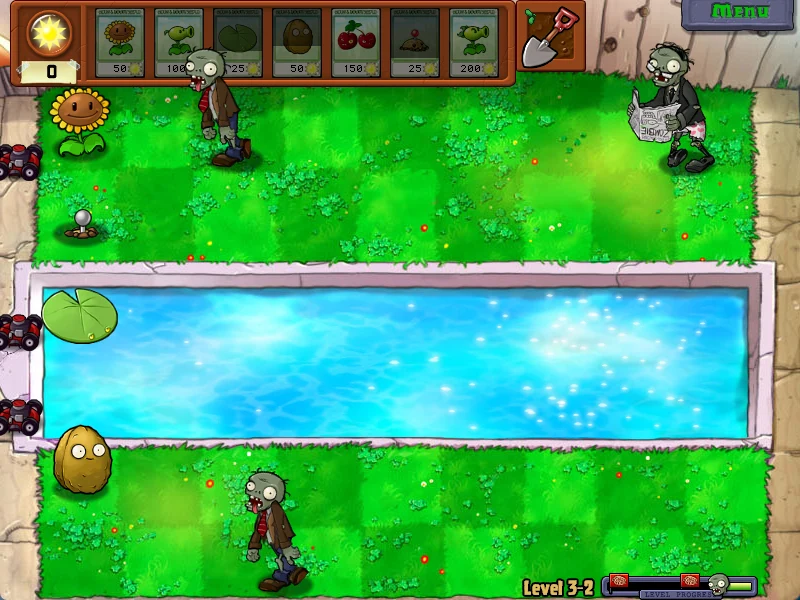
The restart clicks Menu → Restart Level → Restart, just like a person would. If the AI was clicking a menu at the same time, the windows overlapped and it failed, so during a drop I locked the AI's clicks, put down any seed it was holding with a right-click, and then ran the sequence. Restarted games count as losses, and the AI was told only that "it was restarted because the win probability was low." Minigames and boss fights were excluded from the win-probability model.
I used numpy for the win-probability calculation, but the Python on the Mac running the brain didn't have numpy. The program died right on startup, and instead of treating that as a failure, the supervisor script kept creating empty segments every second, moving on through the next chapter and the boss fight until it printed "run complete." There was no game input, so no harm was done, but I rewrote the prediction function in pure Python and changed the supervisor script to stop on failure.
Step 7. Show the win probability and the reasons for actions next to the game screen
When you watch an AI play alone for hours, you keep wondering "why did it plant there just now?" The same goes for anyone watching the recording. So I put a win-probability panel to the right of the game window, and a red box over the game where the AI just clicked. With just Windows and Python, you can build this with no extra installs (tkinter, pywin32).
The structure is simple. The AI loop sends the win probability and the action and reason over HTTP, and the control server on the gaming PC draws a panel window and a transparent box window.
Game memory/screen → AI loop (can be another PC): win probability every 2 s, action + reason every turn
        │ HTTP POST /overlay {title, p, sub, reason, boxes}
        ▼
Gaming PC control server: ① right-hand panel window ② transparent box window over the game
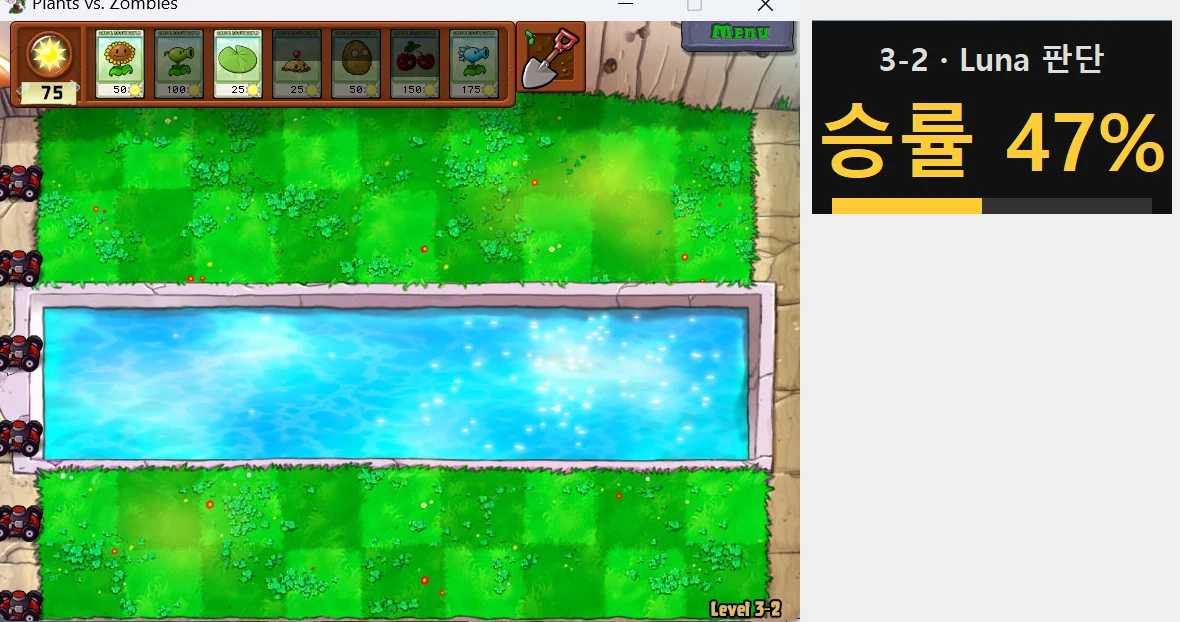
7-1. Create an always-on-top panel window
import tkinter as tk
root = tk.Tk(); root.overrideredirect(True)        # no border or title bar
root.attributes("-topmost", True); root.attributes("-toolwindow", True)
big = tk.Label(root, text="Win rate --", fg="#fff", bg="#111",
               font=("Malgun Gothic", 34, "bold")); big.pack()
The HTTP server runs on a different thread, so it must not touch tkinter directly. Put the received values into a queue.Queue, and have the tk side pull them out and draw with root.after(50, poll). I used green for 50% and above, yellow for 30% and above, and red below that, with the bar length showing the win probability.
7-2. Make the panel follow the game window
x, y = win32gui.ClientToScreen(hwnd, (0, 0))
_, _, w, h = win32gui.GetClientRect(hwnd)
root.geometry(f"{W}x{H}+{x + w + 12}+{y}")          # right next to the game window
On a 4K monitor at 150% scaling, you need to turn on SetProcessDpiAwareness(2) for the coordinates to line up. And always keep the panel outside the game area. The AI sees the game area through screen captures, so if the panel covers the game, the AI mistakes it for part of the game screen.
7-3. Show a click-through red box over the game
bw = tk.Toplevel(root); bw.overrideredirect(True); bw.attributes("-topmost", True)
KEY = "#ff00fe"; bw.configure(bg=KEY); bw.attributes("-transparentcolor", KEY)
hw = win32gui.GetParent(bw.winfo_id())
ex = win32gui.GetWindowLong(hw, win32con.GWL_EXSTYLE)
win32gui.SetWindowLong(hw, win32con.GWL_EXSTYLE,
                       ex | win32con.WS_EX_LAYERED | win32con.WS_EX_TRANSPARENT)  # click-through
Draw only rectangles in a window whose background is set to the transparent color, and hide it after 2.5 seconds. You need WS_EX_TRANSPARENT so clicks pass through the box to the game.
7-4. Keep it invisible to the AI
This is the most important part. When the AI requests a screenshot, hide the box window, wait for the signal that hiding is done, capture, and then show it again. I opened AI-bound captures taken while a box was up and confirmed there were no red pixels. Skip this and the AI reads its own markers as objects in the game.
7-5. Send actions and reasons from the AI loop
send_overlay({"title": "3-2 · Astra decision", "p": 0.47,
              "sub": "Wave 5 · restart if below 30% for 10 s",
              "reason": "[Astra] Action: Peashooter → row 2, col 3\nReason: a Conehead is coming down the top row, so block it",
              "boxes": [[202, 165, 278, 249, "Peashooter"]]})
The reason text is the thinking field that was already in the AI's response, used as is. Asking it to write a separate explanation would add more calls.
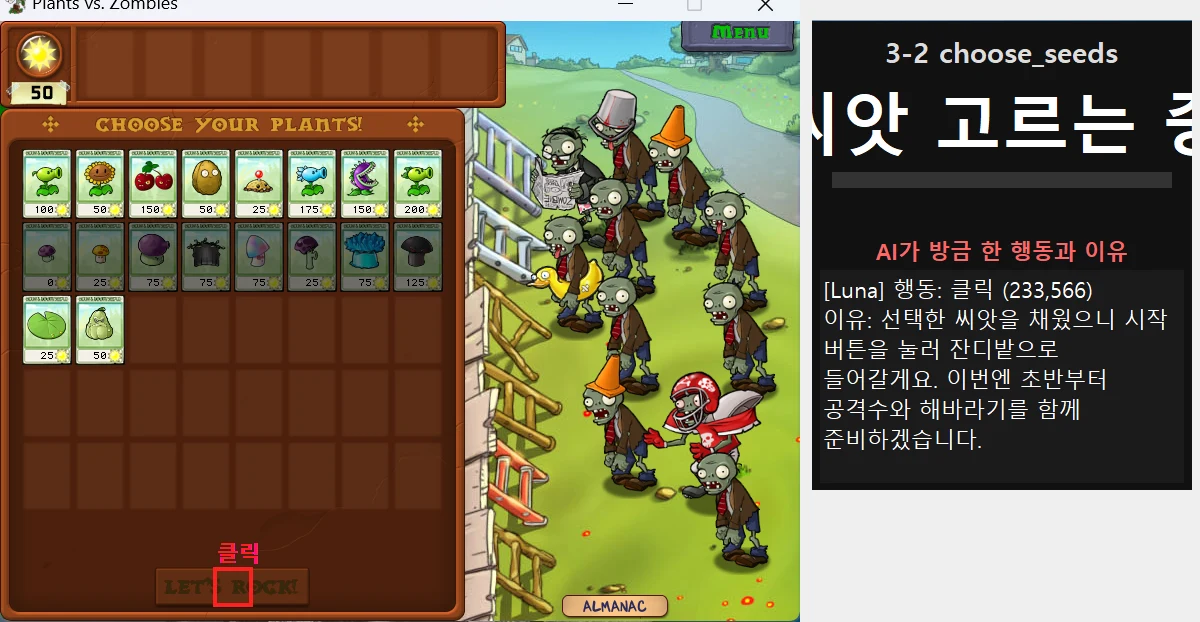
Here are the problems I ran into.
- Restarting the control server orphaned the recording process it had launched, and the files got corrupted. I switched recordings to fragmented mp4 (
-movflags +frag_keyframe+empty_moov) and had the server clean up only this game's recordings on startup. Two recordings corrupted before that (a few minutes of 3-2) never played back. - At 150% scaling, panel text got cut off. Make the window tall enough (470px).
- The panel, recording and clicking were all tied to one server, so turning off just the panel meant shutting down the whole server. Next time I plan to split the panel into its own process.
Step 8. Plan mode: the AI designs, the machine executes
In a real-time game, if the LLM thinks about "what should I plant next?" every turn, it's always late by however long the response takes. So I split the roles again. The AI writes a plan before the game starts, and once the game starts, a program executes that plan at machine speed.
- The AI writes the plan on the seed selection screen. It searches the web for a guide to that level itself, looks at its own past game records (seeds taken, planting order, results) and previous plans, then writes executable JSON. It contains the seeds to bring, an ordered placement table (plant, row, column, reason) and emergency rules (e.g., "if a zombie reaches this cell, Cherry Bomb").
- Seed picking also happens automatically, following the plan. It reads the unlocked cards and clicks the seeds in the plan. When it read cards while the camera was still moving, noise got picked up as unlocked cards, and once Cabbage-pults and Melon-pults that weren't in the plan got in. I fixed it to read cards only after they're fully on screen.
- The executor reads memory every 0.3 seconds and plants according to the plan. Emergency rules come first, then it fills empty cells from the top of the placement table. When it's short on money it saves sun for that item, replants cells that got eaten, and lays down Lily Pads on water and Flower Pots on the roof on its own. Those mechanical steps are the only decisions the executor makes.
- After a loss, the AI rewrites the plan before the next game. I required it to fill in a "cause" field every time.
The first executor had one gap. Because it only filled the placement table from the top, it would plant Sunflowers first, and time would pass with no attacking plant in a row where zombies had come in. The user asked, "why doesn't it plant a Peashooter first in the row the zombies are coming down?", and I added a rule: if a zombie enters a row with no attacking plant, plant that row's first attacking plant before anything else. I also wrote this rule into the plan-writing instructions so the AI would put an attacking plant for each row in the placement table.
The effect showed up in the numbers right away. 3-2 was a level it had lost 13 times, and in plan mode at 2x speed, using the plan Astra wrote (two columns of Sunflowers, two columns of Peashooters, Snow Pea, Wall-nut, and Squash and Cherry Bomb for emergencies), it won for the first time in 218 seconds.
Cranking up the speed wasn't always better. When I raised it to 5x, the number of plants at the same wave dropped to 6-12 (versus 21 in the 2x winning game). Uncollected sun on the lawn went from an average of 0.7 to 1.4, which suggests sun collection couldn't keep up with the speed. The levels were also different, so I can't say for sure, but prioritizing clears, I dropped back to 2x and shortened the sun-collection interval from 0.35 seconds to 0.15 seconds.
Step 9. Get a recap of every game in Slack
Logging in remotely every time to check "how's it going?" during an overnight run is inefficient. So I had a recap posted to a Slack channel at the end of every game. Wins post immediately; losses post right after the AI writes its next plan (which doubles as its own recap).
Here's what went into each recap.
- Level, result, attempt number
- Time taken (speed multiplier and game time listed separately)
- The model that wrote the plan, and the seeds it brought
- Number of plantings, max plant count, average sun
- Win-probability trend (start → low → end)
- A factual record of the loss and the record on this level
- The AI's cause analysis and a summary of the next plan
- Execution diagnostics: time spent waiting to save sun for each plan item, items it couldn't plant and why, seeds in the plan that weren't brought, and sun left on the lawn
Adding the execution diagnostics paid off. The bug "a catapult that wasn't in the plan got in, so it couldn't plant attacking plants" was found because the AI wrote it in the cause field itself. Separately, I ran a watch script that sends the game screen and progress every 3 hours. It's an ordinary script with no LLM, so it costs nothing.
Costs: API and subscriptions are counted differently
Opus 5.5 (API): finishing all 50 levels comes to about $104.9 at API prices. By chapter:
| Chapter | Time | W/L | Calls | At API prices |
|---|---|---|---|---|
| Ch. 1 Day | 46 min | 10/1 | 253 | $5.2 |
| Ch. 2 Night | 84 min | 10/4 | 451 | $11.4 |
| Ch. 3 Pool | 201 min | 10/18 | 961 | $26.2 |
| Ch. 4 Fog | 174 min | 10/10 | 887 | $23.5 |
| Ch. 5 Roof | 276 min | 10/30 | 1,488 | $38.7 |
| Total | 13.0 hours | 50/63 | 4,040 | $104.9 |
Harness bugs and the black-screen stretch (122 minutes, 552 calls, $10.7) are excluded from this table. The actual charges came out of Anthropic API promotional credits, so I didn't pay anything separately, and this month's usage shown in the Console is $127.60. The Console amount covers the whole month, so it isn't the same number as the table above.
Astra (ChatGPT Pro subscription + Codex CLI) isn't billed per call. Instead of money, what ran out was time. Even with weekly usage at 33%, 429 congestion stalled it for up to 100 minutes at a stretch. Converting just the 1-1 to 1-4 comparison at API prices gives $4.01 (Opus: $1.11), but most of that comes from the Codex default instructions attached to every call, so don't read it as a comparison of model prices.
The takeaway: for a multi-hour real-time experiment, "a path that doesn't get blocked" mattered more than "a cheap path."
Failures and fixes at a glance
| Symptom | Cause | Fix |
|---|---|---|
| Clicked sun in the wrong place | Fullscreen captures lagged behind the actual screen | Run in windowed mode |
| Couldn't find the sun value in memory | Launcher and actual game were different processes | Target the actual game process |
| 30% of plantings failed on the conveyor level | Clicked card positions from a few seconds earlier, slide offset not applied | Re-read right before clicking, apply the offset |
| 1 h 50 min of black screen, about $9 wasted | Gaming PC lost its monitor signal | Stop AI calls on black-screen detection, virtual monitor |
| Stuck in the shop for 8 minutes | The shop also read as "playing," so the Golden Watering Can was mistaken for sun | Auto-collect only inside levels |
| 28 straight losses to Dr. Zomboss on 5-10 at 1x | Responded too late to boss attacks while thinking | 0.5x for the boss fight only (disclosed) |
| Couldn't restart for 5 h 20 min overnight | The auto-stop after 6 straight losses waited for human confirmation, and the laptop I was watching from went to sleep | Relaxed the stop threshold, a no-LLM watch script every 3 hours |
| Run died on startup and printed "run complete" | No numpy in the runtime, supervisor script ignored the failure | Pure-Python prediction, stop on failure |
| Won 3-4 and then stalled for 5 hours | Nothing was there to click the reward key in plan mode | Reward handling on the AI's turn, a 15-minute no-change watchdog |
| Lost part of a recording | Restarting the control server orphaned the recording process (cause of some losses unconfirmed) | Fragmented mp4, clean up recordings on startup |
| 34 of 37 Astra decisions were made by Luna | "Switch to Luna after 10 s" rule, with Astra averaging 17 s | Removed Astra's time limit, retry only on failure |
What I'm taking to the next game
The biggest lesson this time is the habit of deciding up front what to give the AI and what to give the program. Read state from memory or structured data, let the program handle clicks and repetitive actions, and leave planning and judgment to the AI. And if it's going to run unattended, put in stall watchdogs, a supervisor script that stops on failure and a per-game recap from day one. This time, I added them one by one only after things went wrong.
I'm also changing how I compare. Starting next episode, I'll call both models through the same access method (API vs. API, or subscription vs. subscription), pause the game while the AI thinks so response speed doesn't decide the match, run on the same seed in the same time window, and fix the allowed assists (speed, automatic actions, fallback models) before the start and not change them midway. Adding assists every time something gets stuck, like in this PvZ run, ends up comparing "who got more help" rather than "who played better."
From the next episode on, I'll publish the rules before the match starts. I'll state at the top of the video and the post how much the AI does on its own, what the program does on its behalf, and that no human steps in during the match.
Update (October 28): how the harness actually changed for the next match
After publishing this post, I started the second match (Frostpunk, a game where you run a city for 48 days) and put the lessons above into practice. Here is what carried over and what turned out to be new.
What carried over
| What I learned from Plants vs. Zombies | What changed in the second match |
|---|---|
| Adding help every time a model gets stuck breaks the comparison | I wrote a shared rules document before the match: human intervention, what information the AI gets, what the harness does on its behalf, no fallback models, and what gets disclosed in the video |
| Response speed decided the outcome | The game pauses while the AI thinks. Only the harness presses the time-advance key |
| Mixing API and subscription access blurs the comparison | Both models are called through subscription CLIs (Claude Code, Codex) |
| A win-probability model let me quit losing games early | The same logistic regression now estimates "probability of being ousted within 3 days," which is used to pick which save to roll back to and to abandon hopeless runs |
| Monitoring was added only after something broke | From day one: a supervisor script (restarts on crash), screen monitoring, waiting out subscription limits, and Slack alerts |
| A Slack recap after every level | An 8x-speed video with sound for each in-game day, sent to Slack |
What was new
- Saving and rolling back: A level that lasts a few minutes can simply be replayed, but a 48-day game is far too long to restart from scratch after a loss. The harness saves under a new name every day and rolls back to a designated save after a loss.
- A daily plan: Reacting turn by turn missed problems that blow up days later (coal, food, discontent). Every morning the AI writes a plan and rereads it each turn.
- The program does the math: The harness calculates how many hours until a resource runs out and how fast discontent rises per day, and tells the AI.
- When stuck, the AI studies on its own: Instead of a human giving hints, the AI searches the web for guides when it gets stuck and writes its own notes.
Even so, the rules changed mid-match this time too. Every change came from the user, applied equally to both models, and the timing and reasons will be disclosed at the end of the second match's post and video.