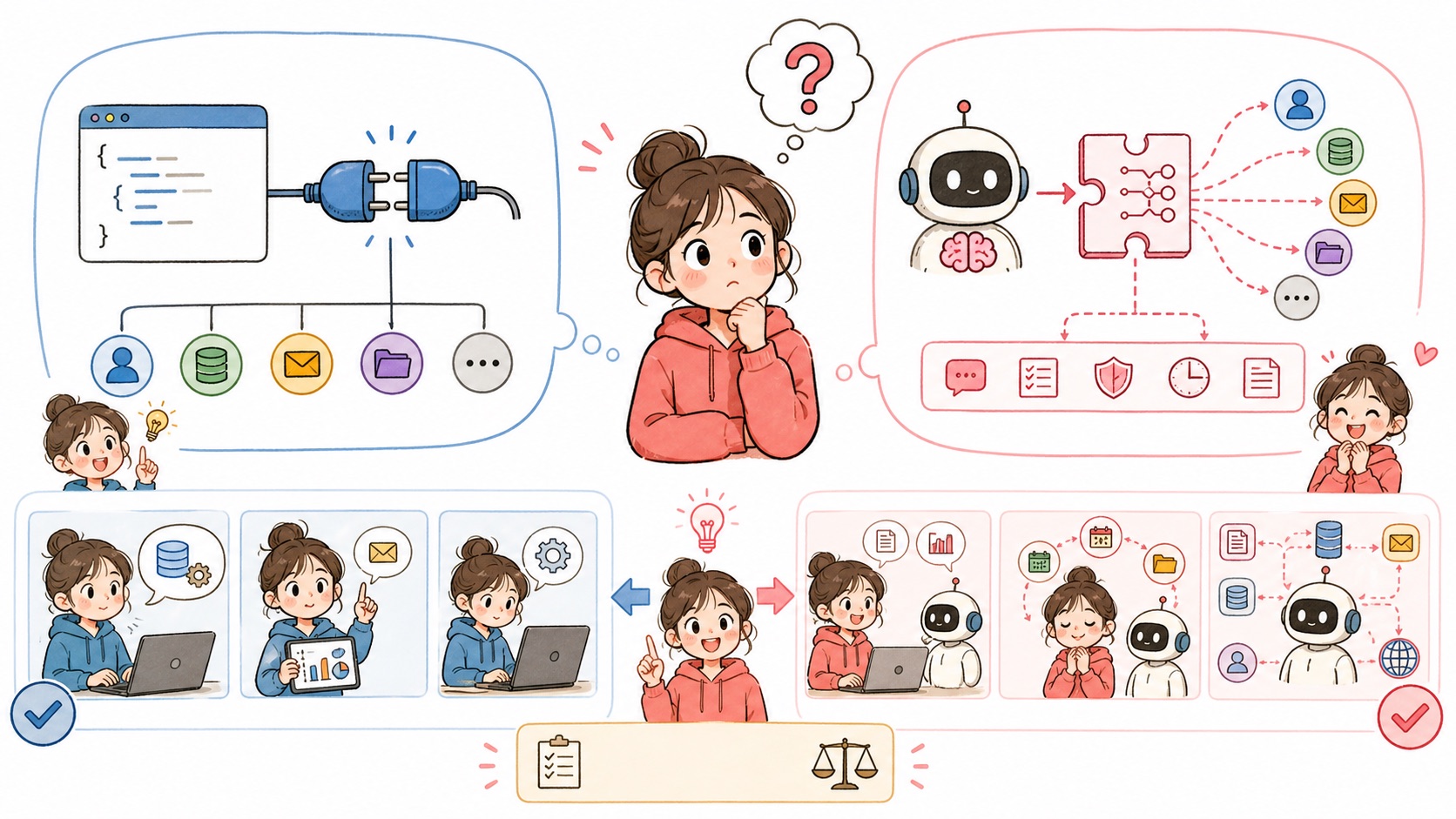
API vs. MCP, Seen Through One Weather Dataset: 5 Steps from a Single curl Line to a Tool AI Can Use
An API is a window that a person calls directly, knowing the exact address and values. MCP is a standard that attaches an AI-readable description to that window so the AI can choose to call it on its own. In this post, we fetch the same weather data once through the API and once through an MCP server, and see the difference for ourselves. Every command and piece of code in this post was actually run on October 7, 2026, and the results were checked.
Who this is for
- You can't yet confidently answer "Why use MCP when you can just use the API?"
- You're building an AI agent and can't decide whether to call the API you already use as is, or wrap it in an MCP server
- You've installed an MCP server but have never seen what happens inside it
You need four things.
| What you need | How to check |
|---|---|
| A Mac or Linux terminal | Just open the Terminal app |
curl | Usually installed by default. Check with curl --version |
uv (a Python runner) | If uv --version doesn't work, install it with the command below |
| Codex CLI (Step 4 only) | Sign in with a ChatGPT account. Installation is covered in Step 4 |
curl -LsSf https://astral.sh/uv/install.sh | sh
The uv install command is copied straight from the official uv installation docs. After installing, close and reopen your terminal so the uv command is picked up.
The weather data in this post comes from the public API of Open-Meteo. No sign-up and no API key required, so you can copy, paste and follow along right away.
Step 1. Call the weather API directly with curl
First, let's pin down exactly what "using an API" means. Paste the line below into your terminal. It asks for the current temperature and wind speed in Seoul (latitude 37.5665, longitude 126.978).
curl "https://api.open-meteo.com/v1/forecast?latitude=37.5665&longitude=126.978¤t=temperature_2m,wind_speed_10m&timezone=Asia%2FSeoul"
If you get JSON like this back, it worked. The numbers depend on when you run it.
{"timezone":"Asia/Seoul", ... ,"current":{"time":"2026-10-07T09:00","interval":900,"temperature_2m":14.7,"wind_speed_10m":1.3}}
The point to notice here is that I decided everything.
- Which address (
/v1/forecast) to send it to - What Seoul's latitude and longitude are
- Which values (
temperature_2m,wind_speed_10m) to ask for - When to send the request
An API is a promise: "Send a request in this format, and you get this data." Reading that promise, filling in the values and deciding when to call it are all up to a person (or code a person wrote).
Step 2. Wrap the same function in an MCP server
Now let's turn the same weather API into a tool an AI can use. Create an empty folder, create a weather_server.py file inside it, and paste in the code below as is.
mkdir weather-mcp && cd weather-mcp
import json
import urllib.parse
import urllib.request

from mcp.server.fastmcp import FastMCP

mcp = FastMCP("korea-weather")

CITIES = {
    "Seoul": (37.5665, 126.9780),
    "Busan": (35.1796, 129.0756),
    "Jeju": (33.4996, 126.5312),
}


@mcp.tool()
def get_current_weather(city: str) -> str:
    """Get the current temperature (°C) and wind speed (km/h) for a city. city must be one of Seoul, Busan or Jeju."""
    if city not in CITIES:
        return f"Unsupported city: {city}. Please use one of Seoul, Busan or Jeju."
    lat, lon = CITIES[city]
    query = urllib.parse.urlencode({
        "latitude": lat,
        "longitude": lon,
        "current": "temperature_2m,wind_speed_10m",
        "timezone": "Asia/Seoul",
    })
    url = f"https://api.open-meteo.com/v1/forecast?{query}"
    with urllib.request.urlopen(url, timeout=10) as res:
        now = json.load(res)["current"]
    return f"{city} as of {now['time']}: temperature {now['temperature_2m']}°C, wind speed {now['wind_speed_10m']}km/h"


if __name__ == "__main__":
    mcp.run()
Look closely and you'll see that the inside is exactly the same API call as Step 1. MCP doesn't remove or replace the API. What changed are two things added on the outside.
@mcp.tool(): registers this function as a tool the AI can call.- The description sentence in triple quotes right under the function: this becomes the manual the AI reads to decide "when should I use this tool, and with what values?"
Nobody has to memorize latitude and longitude anymore, either. The AI just puts "Busan" in city.
Step 3. Open the "tool description" the AI sees
An MCP server exchanges messages with the AI app (the client) in a format called JSON-RPC: one message per line, sending and receiving JSON with a fixed shape. Let's do by hand exactly what an AI app does when it first connects to an MCP server.
In the same folder, create an ask.jsonl file and paste in the four lines below.
{"jsonrpc":"2.0","id":1,"method":"initialize","params":{"protocolVersion":"2025-06-18","capabilities":{},"clientInfo":{"name":"me","version":"1.0"}}}
{"jsonrpc":"2.0","method":"notifications/initialized"}
{"jsonrpc":"2.0","id":2,"method":"tools/list"}
{"jsonrpc":"2.0","id":3,"method":"tools/call","params":{"name":"get_current_weather","arguments":{"city":"Busan"}}}
Here's what each line means.
| Line | What it does |
|---|---|
initialize | Says "I'm connecting" and agrees on which features both sides support |
notifications/initialized | Announces that setup is done |
tools/list | "Give me the list of tools I can use and their descriptions" |
tools/call | "Run get_current_weather with Busan" |
Now pipe these messages into the server.
(cat ask.jsonl; sleep 3) | uv run --with "mcp<2" weather_server.py 2>/dev/null
The first run takes a few seconds while uv downloads the MCP Python package. Of the three response lines, the second is the tool description the AI sees. Formatted for readability, it looks like this:
{
  "tools": [{
    "name": "get_current_weather",
    "description": "Get the current temperature (°C) and wind speed (km/h) for a city. city must be one of Seoul, Busan or Jeju.",
    "inputSchema": {
      "properties": {"city": {"title": "City", "type": "string"}},
      "required": ["city"],
      "type": "object"
    }
  }]
}
The function name and description sentence from Step 2 became name and description as is, and city: str became an inputSchema saying "a text value called city is required." The last line contains the actual result.
{"content":[{"type":"text","text":"Busan as of 2026-10-07T09:00: temperature 17.5°C, wind speed 6.2km/h"}],"isError":false}
Now the difference is visible. In Step 1, I knew the address, latitude and longitude, and made the call. In Step 3, the server first describes itself: "I have this tool, and it needs these values." The AI app reads that description, and when a user asks "How's the weather in Busan?", it decides on its own to call get_current_weather with "Busan".
Step 4. Connect it to an AI app and check whether the AI picks the tool
Now let's plug this server into a real AI app. MCP is a shared standard, so any app that supports MCP can connect to the same server as is. Here I check with Codex CLI, a terminal app you use with a ChatGPT account. If you don't have Codex CLI, install it with the command on the official Codex CLI page, then run codex once and sign in with your ChatGPT account.
① Register the server. Run the command below inside the weather-mcp folder. Replace /absolute/path/ with this folder's actual path, which you can check with pwd.
codex mcp add korea-weather -- uv run --with "mcp<2" /absolute/path/weather-mcp/weather_server.py
If you see Added global MCP server 'korea-weather'., it's registered. Run codex mcp list and korea-weather shows up as enabled.
② Allow this server's tools to run without asking. Codex asks for approval before calling an MCP tool. Since the weather lookup is read-only, open the config file ~/.codex/config.toml and add one line at the bottom of the [mcp_servers.korea-weather] section that was just created.
[mcp_servers.korea-weather]
command = "uv"
args = ["run", "--with", "mcp<2", "/absolute/path/weather-mcp/weather_server.py"]
default_tools_approval_mode = "approve"
default_tools_approval_mode is a setting from the official Codex MCP docs. It's safer not to add this line for tools that edit files or send messages.
③ Just ask a question. Don't mention the tool name, latitude or longitude. Run it with web search turned off (I explain why right below).
codex exec --skip-git-repo-check -c web_search='"disabled"' "Which is warmer right now, Busan or Jeju?"
Here's the result from an actual run on the morning of October 7, 2026.
codex
Current weather changes in real time, so let me check it now. I'll compare the current temperatures in Busan and Jeju on the same basis.
mcp: korea-weather/get_current_weather started
mcp: korea-weather/get_current_weather (completed)
mcp: korea-weather/get_current_weather started
mcp: korea-weather/get_current_weather (completed)
codex
Right now, **Jeju is warmer.**

- Busan: **19.4°C**
- Jeju: **20.5°C**
It called get_current_weather twice: once with Busan and once with Jeju. Nowhere in the question did it say "call get_current_weather twice." The AI read the one line in the description from Step 3 ("city must be one of Seoul, Busan or Jeju") and decided on its own how many times to call the tool and with which values. This is the biggest difference from Step 1, where a person typed in the address, latitude and longitude.
If the AI does the choosing, it might not choose your tool. When I ran the same question with web search turned on, Codex answered by finding the Korea Meteorological Administration's page through web search instead of using korea-weather. When several tools are available, the AI picks one of them. To make sure it uses your tool, turn off the other tools as above, or put the tool name in the question, like "Use the korea-weather tool to tell me ~". With the tool name in the question, it called korea-weather twice and gave the same answer even with web search turned on.
Step 5. Decide whether API or MCP fits your situation
Based on what we just did, the difference between the two comes down to "who decides what to call, and when."
| API | MCP | |
|---|---|---|
| Who calls it | Code a person wrote, in a fixed order | The AI, choosing based on the conversation |
| What it reads before calling | API docs written for people | A tool description the server publishes itself (tools/list) |
| Message format | Varies by service (REST, GraphQL, etc.) | Unified on JSON-RPC 2.0 |
| How it connects | Separate integration code for each app | One server reused across many MCP-compatible apps |
Use these criteria to choose.
When calling the API directly is the right fit
- Work that must always run in the same order, like payment approval, sign-up, or collecting data at a set time every day
- Work where servers need to exchange data quickly without any AI judgment
When wrapping it in MCP is the right fit
- Internal data or tools you want the AI to pull out on its own when needed during a conversation
- When you want several AI apps to use the same tool without code changes. With 3 AI apps and 4 services to connect, separate integrations mean building 3×4=12 of them, but one MCP server per service means you're done with 4
- When you don't want to give the AI full access. The server in Step 2 exposes only one thing: weather lookups for Seoul, Busan and Jeju. This way, you can narrow what the AI can do in the server code
In short, the right answer is closer to "call the API inside MCP" than "API or MCP?" If you already have an API you use, there's no need to throw it away: just wrap it with a description as in Step 2, and it becomes a tool the AI can use.
If you hit an error, check here first
| Symptom / message | Cause | Fix |
|---|---|---|
command not found: uv | uv isn't installed, or the terminal was opened before installation | Run the install command from the prerequisites and open a new terminal |
No module named 'mcp.server.fastmcp'. This is mcp 2.x ... | MCP Python SDK 2.x is installed. In 2.x, FastMCP was renamed to MCPServer | Use 1.x with --with "mcp<2" as in this post. To move to 2.x, follow the official migration guide |
| In Step 3 you get only two response lines and no weather result | Input ended before the weather was fetched, so the server shut down | Make sure you didn't drop sleep 3 from the command; if your connection is slow, increase it to sleep 5 |
Unsupported city | You used a city name that isn't in CITIES | Add its latitude and longitude to CITIES, like "Daegu": (35.8714, 128.6014) |
MCP tool call requires approval, but approval policy is never | codex exec can't ask for approval while running, and there's no tool approval setting | Add the default_tools_approval_mode = "approve" line as in Step 4 ②, or run codex interactively |
You get an answer, but there's no mcp: korea-weather/... line | The AI chose another tool, such as web search, instead of yours | Turn off web search with -c web_search='"disabled"', or add "use the korea-weather tool" to your question |
Wrap-up
Call the API directly with curl → wrap the same call as an MCP tool in one Python file → check the description the AI sees with tools/list → connect it to an AI app → pick the approach that fits your situation. With these five steps, you can see the difference between API and MCP for yourself instead of memorizing definitions. Next, pick a public data API you already use instead of Open-Meteo and swap out only the inside of the function from Step 2. You can also compare for yourself how well the AI picks the tool depending on how you write the description sentence.
References
- Official Model Context Protocol docs: MCP architecture and specification
- Anthropic's official intro video: Introducing the Model Context Protocol
- Open-Meteo: the free weather API used in this post
- MCP Python SDK 2.x migration guide